> ## Documentation Index
> Fetch the complete documentation index at: https://docs.iearena.org/llms.txt
> Use this file to discover all available pages before exploring further.
# Artifact collection
> Preserve files produced during a trial.
Harbor collects artifacts after the agent phase for two purposes: 1. saving files for local inspection 2. transferring agent-produced
files into a separate verifier sandbox.
## Automatic artifact collection
Automatic collection from `/logs/artifacts/` will be removed soon. Configure
artifacts explicitly for new tasks.
Files written to `/logs/artifacts/` in the main sandbox are collected **automatically**. Harbor does not tell the agent to use this directory; specify it
in the task instruction when the agent should produce the artifact.
```md instruction.md theme={"system"}
Save the final report to `/logs/artifacts/report.json`.
```
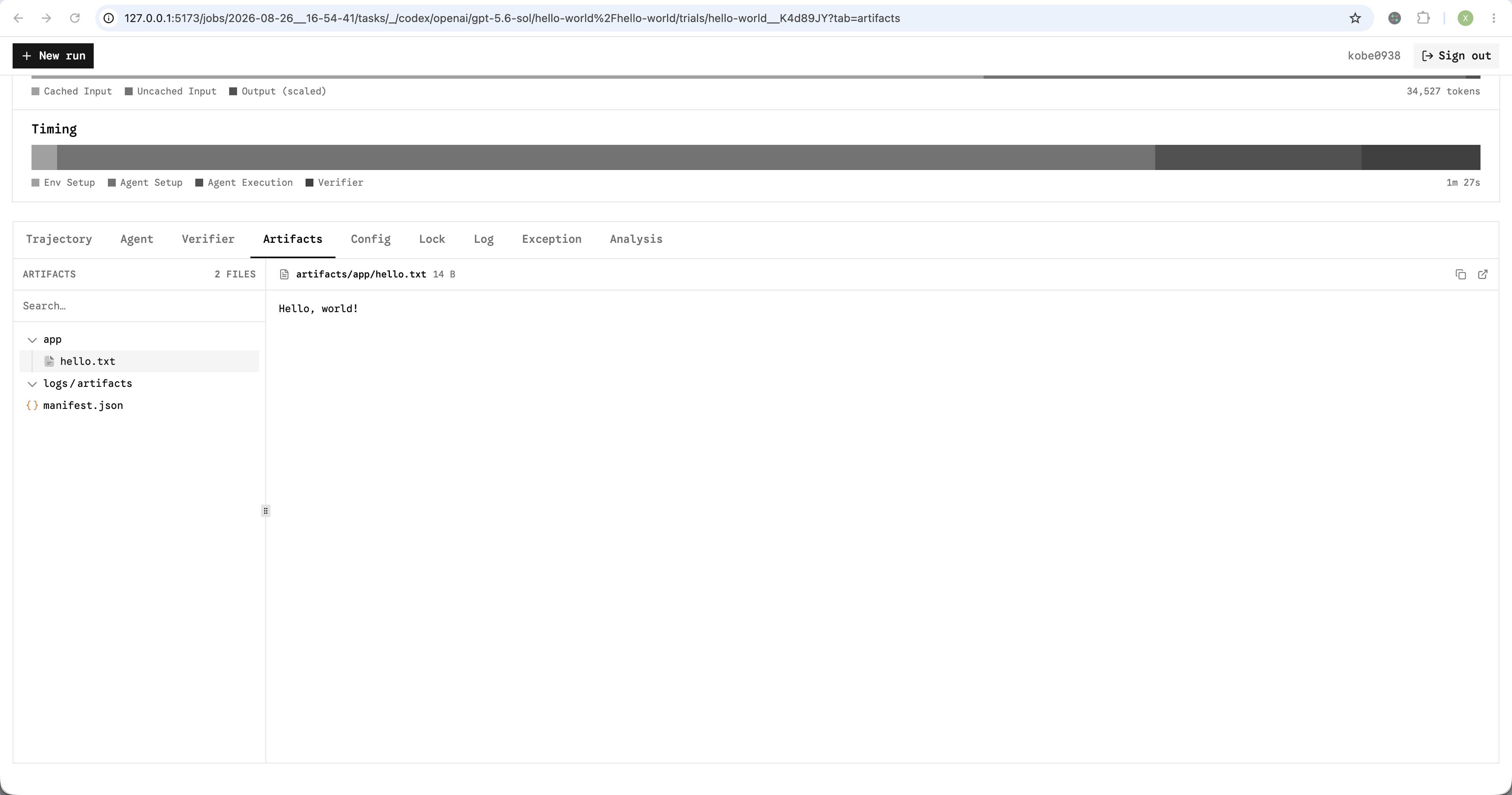
They are saved under `/artifacts/logs/artifacts/` and shown in the
viewer's [**Artifacts** tab](/core-concepts/results/view-job-results#trial-files).
## Configure artifact collection
Use `--artifact` for a run, `artifacts` in `config.json`, or `artifacts` in the
task's `task.toml`.
Both forms below accept a file or directory. And you can specify multiple artifacts.
### Basic
`--artifact` is repeatable.
```bash theme={"system"}
export OPENAI_API_KEY="..."
harbor run \
-t hello-world/hello-world \
-a codex -m openai/gpt-5.6-sol \
--artifact /app/hello.txt
```
```json config.json theme={"system"}
{
"artifacts": ["/app/hello.txt"]
}
```
```toml task.toml theme={"system"}
artifacts = ["/app/hello.txt"]
```
`/app/hello.txt` is saved as `/artifacts/app/hello.txt` on the host.
Run-level artifacts are added to task-level artifacts.
### Advanced options
Use the object form to change the saved path or exclude files from a directory.
These options require a run or task config. Add multiple entries to collect
files and directories together.
```json config.json theme={"system"}
{
"artifacts": [
{
"source": "/workspace/output",
"destination": "output",
"exclude": ["*.tmp"]
},
{
"source": "/app/report.json",
"destination": "report.json"
}
]
}
```
```toml task.toml theme={"system"}
artifacts = [
{ source = "/workspace/output", destination = "output", exclude = ["*.tmp"] },
{ source = "/app/report.json", destination = "report.json" },
]
```
On the host, these are saved as `/artifacts/output/` and
`/artifacts/report.json`.
| Field | Description |
| ------------- | ------------------------------------------------------ |
| `source` | File or directory inside the sandbox. |
| `destination` | Optional relative path under `/artifacts/`. |
| `exclude` | Patterns excluded when collecting a directory. |
| `service` | Compose service to collect from. Defaults to `main`. |
## Separate verifier
The verifier runs in a new sandbox. From the agent sandbox, Harbor transfers
only the declared artifacts and the automatic `/logs/artifacts/` directory. Use
the same `artifacts` field; there is no separate artifact configuration.
```toml task.toml theme={"system"}
artifacts = ["/app/report.json"]
[verifier]
environment_mode = "separate"
```
Harbor collects `/app/report.json` from the agent sandbox and places it at
`/app/report.json` in the verifier sandbox. `destination` controls only where
the artifact is saved on the host.
Learn more about [separate verifiers](/core-concepts/tasks/separate-verifier).
## Collection manifest
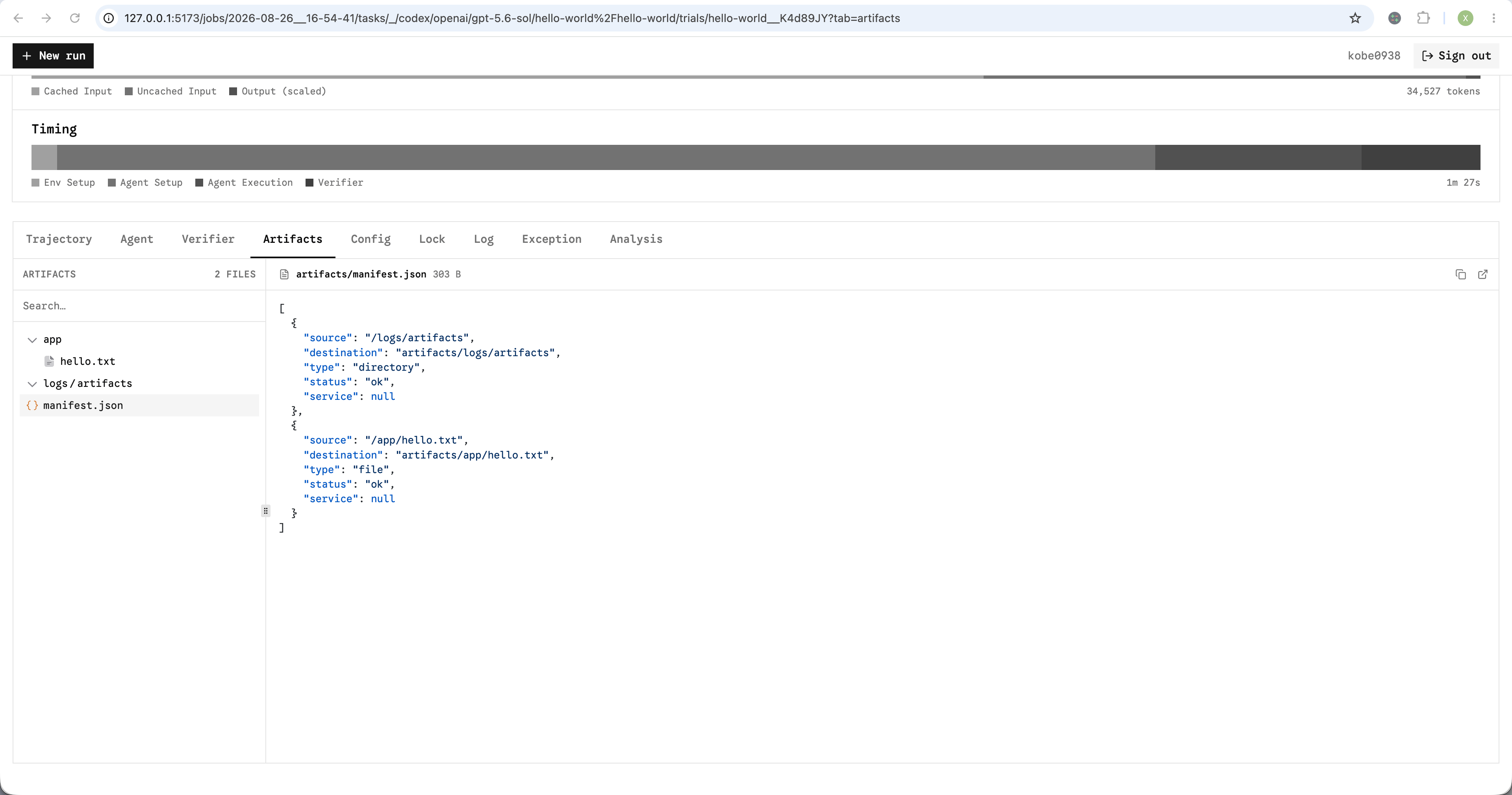
Harbor writes `/artifacts/manifest.json` as a collection report. Each
entry records the artifact's source, host destination, service, file type, and
status: `ok`, `empty`, `failed`, or `skipped`.
 A collection failure is recorded in the manifest without failing the trial.
If two entries would write to overlapping host paths, Harbor keeps the first and
records the other as `skipped` instead of overwriting it.
## Sidecar artifacts
For [multi-container tasks](/core-concepts/tasks/multi-container), set `service`
to a Compose service. A `verifier.collect` hook can first write runtime state to
a file for collection.
```toml task.toml theme={"system"}
artifacts = [
{ source = "/var/log/api/orders.log", service = "api" },
{ source = "/tmp/stats.json", service = "api" },
]
[[verifier.collect]]
service = "api"
command = "curl -s http://localhost:8000/stats > /tmp/stats.json"
timeout_sec = 30
```
Sidecar artifacts and collection hooks require a Compose-capable sandbox. See
the [working example](https://github.com/harbor-framework/harbor/tree/main/examples/tasks/sidecar-artifacts)
and [provider capabilities](/core-concepts/sandboxes/pre-integrated-sandboxes#provider-capabilities).
## Multi-step tasks
For [multi-step tasks](/core-concepts/tasks/multi-step), step-level artifacts are
added to the task- and run-level artifacts. Harbor collects them before each
step's verifier and stores them under `steps//artifacts/`.
## View artifacts
Open a trial's [**Artifacts** tab](/core-concepts/results/view-job-results#trial-files)
in the results viewer.
A collection failure is recorded in the manifest without failing the trial.
If two entries would write to overlapping host paths, Harbor keeps the first and
records the other as `skipped` instead of overwriting it.
## Sidecar artifacts
For [multi-container tasks](/core-concepts/tasks/multi-container), set `service`
to a Compose service. A `verifier.collect` hook can first write runtime state to
a file for collection.
```toml task.toml theme={"system"}
artifacts = [
{ source = "/var/log/api/orders.log", service = "api" },
{ source = "/tmp/stats.json", service = "api" },
]
[[verifier.collect]]
service = "api"
command = "curl -s http://localhost:8000/stats > /tmp/stats.json"
timeout_sec = 30
```
Sidecar artifacts and collection hooks require a Compose-capable sandbox. See
the [working example](https://github.com/harbor-framework/harbor/tree/main/examples/tasks/sidecar-artifacts)
and [provider capabilities](/core-concepts/sandboxes/pre-integrated-sandboxes#provider-capabilities).
## Multi-step tasks
For [multi-step tasks](/core-concepts/tasks/multi-step), step-level artifacts are
added to the task- and run-level artifacts. Harbor collects them before each
step's verifier and stores them under `steps//artifacts/`.
## View artifacts
Open a trial's [**Artifacts** tab](/core-concepts/results/view-job-results#trial-files)
in the results viewer.