

Automatic artifact collection
Files written to/logs/artifacts/ in the main sandbox are collected automatically. Harbor does not tell the agent to use this directory; specify it
in the task instruction when the agent should produce the artifact.
instruction.md
<trial-dir>/artifacts/logs/artifacts/ and shown in the
viewer’s Artifacts tab.
Configure artifact collection
Use--artifact for a run, artifacts in config.json, or artifacts in the
task’s task.toml.
Both forms below accept a file or directory. And you can specify multiple artifacts.
Basic
- CLI
- Run config
- Task config
--artifact is repeatable./app/hello.txt is saved as <trial-dir>/artifacts/app/hello.txt on the host.
Run-level artifacts are added to task-level artifacts.
Advanced options
Use the object form to change the saved path or exclude files from a directory. These options require a run or task config. Add multiple entries to collect files and directories together.- Run config
- Task config
config.json
<trial-dir>/artifacts/output/ and
<trial-dir>/artifacts/report.json.
Separate verifier
The verifier runs in a new sandbox. From the agent sandbox, Harbor transfers only the declared artifacts and the automatic/logs/artifacts/ directory. Use
the same artifacts field; there is no separate artifact configuration.
task.toml
/app/report.json from the agent sandbox and places it at
/app/report.json in the verifier sandbox. destination controls only where
the artifact is saved on the host.
Learn more about separate verifiers.
Collection manifest
Harbor writes<trial-dir>/artifacts/manifest.json as a collection report. Each
entry records the artifact’s source, host destination, service, file type, and
status: ok, empty, failed, or skipped.
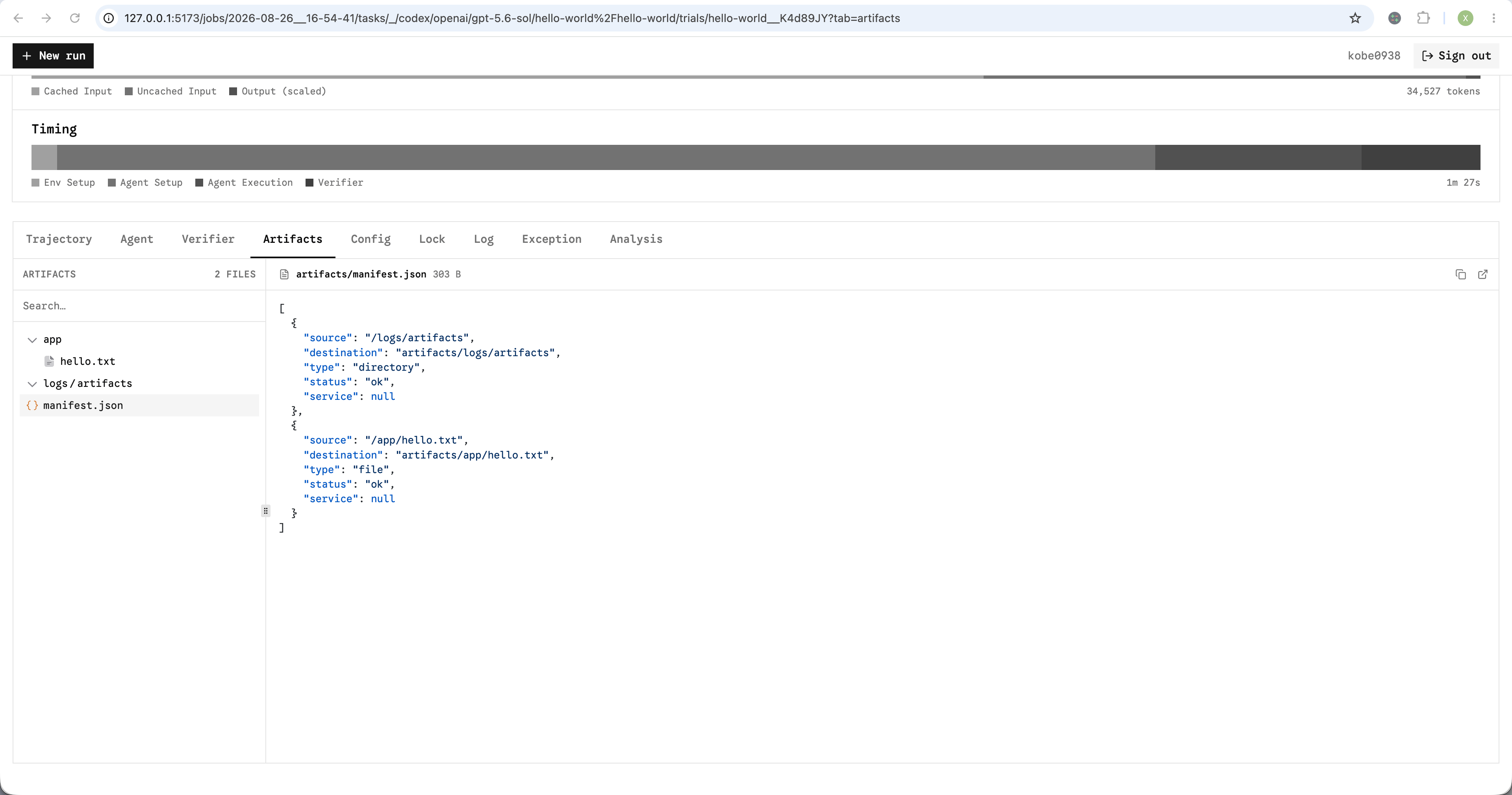
manifest.json
A collection failure is recorded in the manifest without failing the trial.
skipped instead of overwriting it.
Sidecar artifacts
For multi-container tasks, setservice
to a Compose service. A verifier.collect hook can first write runtime state to
a file for collection.
task.toml
Multi-step tasks
For multi-step tasks, step-level artifacts are added to the task- and run-level artifacts. Harbor collects them before each step’s verifier and stores them understeps/<step-name>/artifacts/.
View artifacts
Open a trial’s Artifacts tab in the results viewer.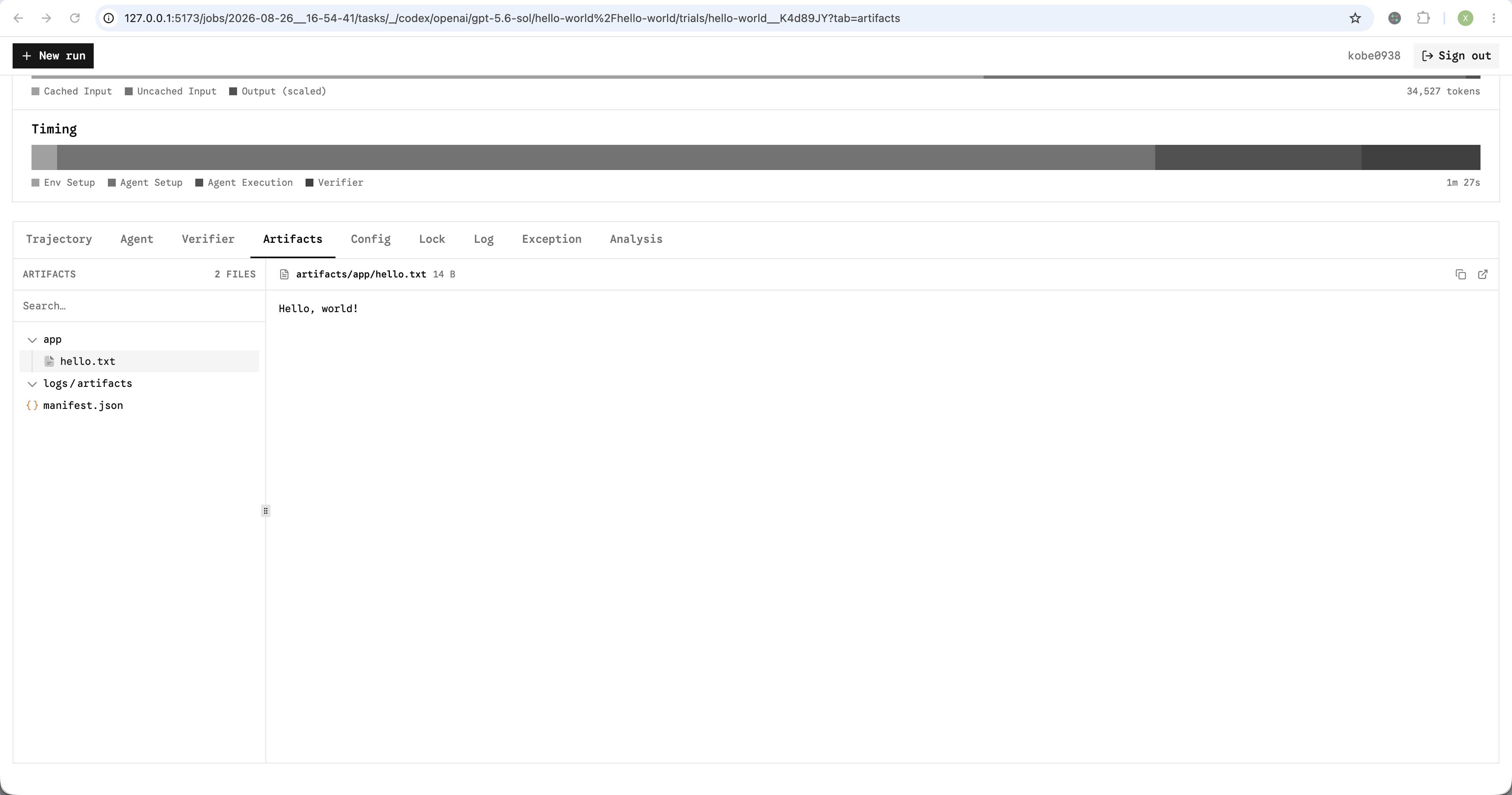
Collected artifacts in viewer